Exploring NoSQL Databases in C++
Recently, I really became interested in distributed systems and the process of creating reliable, maintainable, and scalable systems. A big part of the learning process has involved learning a lot about system design and how data is structured for many different use cases. Many people who have had experiences with database systems are often exposed to the relational structures of SQL databases but there is so much more to Databases than relational structures. In this blog post, I will be describing the many different types of NoSQL databases, what they are used for, and what scenarios each one would be best suited for.
Cassandra (Wide-Column Store)
The first NoSQL Database that we will be looking at are Wide-Column Database. Wide Column Databases are key value databases, meaning that they can only be queried by the partition key. It is called a wide column as you have a key (which can be one of the table columns) and many entries for that particular key (so like key: value 1, value 2…). In Cassandra specifically, the partition key determines which node your data lives on, and the clustering key determines how data is stored within that partition.
These databases are very good for fast reads because you only go to the partition that has your data and also the structure of the tables within wide-column databases are based on the query so they don't have to do the same complex joins that relational SQL-based databases would have to do for the same queries. In addition to this, the data within each partition is already sorted by the clustering key which
These databases are also good for writes as they do parallel writes across the partitioned nodes so automatically we have more write throughput with a greater number of nodes (throughput is to the partitions part of the replication factor). These databases are also append-only which means that instead of finding and updating the existing row, it just appends new data and sorts it out later which helps massively with speed.
The only drawback of this type of database is that you must know your query patterns before you can create a table. This is because you can not do complex JOINs so tables are more structured as one specific type of data instead of a general data that can be combined with other general queries through JOINs.
Some of the key concepts for Cassandra include:
- Cluster: the warehouse - all your machines (nodes) running Cassandra together
- Keyspace: a section of the warehouse - essentially a database
- Table: defines the structure of your data
- Partition: all data for one partition key, lives on one node (replication factor can make this more than 1 though)
- Rows: individual entries, sorted by clustering key within a partition
- Each machine running Cassandra is called a node. All nodes know what keyspaces, tables, and columns exist, but only specific nodes hold specific partitions of the actual data.
Example of Cassandra Structure:
Cluster: 127.0.0.1:9042
└── Keyspace: trading
    └── Table: ticks
        └── Partition: "AAPL" (lives on Node 1)
            └── Row: ts1 → {price: 150.50, volume: 1000}
            └── Row: ts2 → {price: 150.75, volume: 500}
        └── Partition: "GOOGL" (lives on Node 2)
            └── Row: ts1 → {price: 140.25, volume: 500}
Example of Cassandra Query vs SQL Query: Lets say I am an engineer at Netflix and I want to get all shows watched by user Kenny along with the show details. In SQL I could have three tables: users, shows, and watch_history that I would have to do JOINs across and also sort. Instead, in Cassandra, I would design the table around the query upfront so all I would have to do is query a "user_watch_history" table by a partition key ,lets say user=Kenny, and then I would have all of the data that I need without performing any complex JOINs.
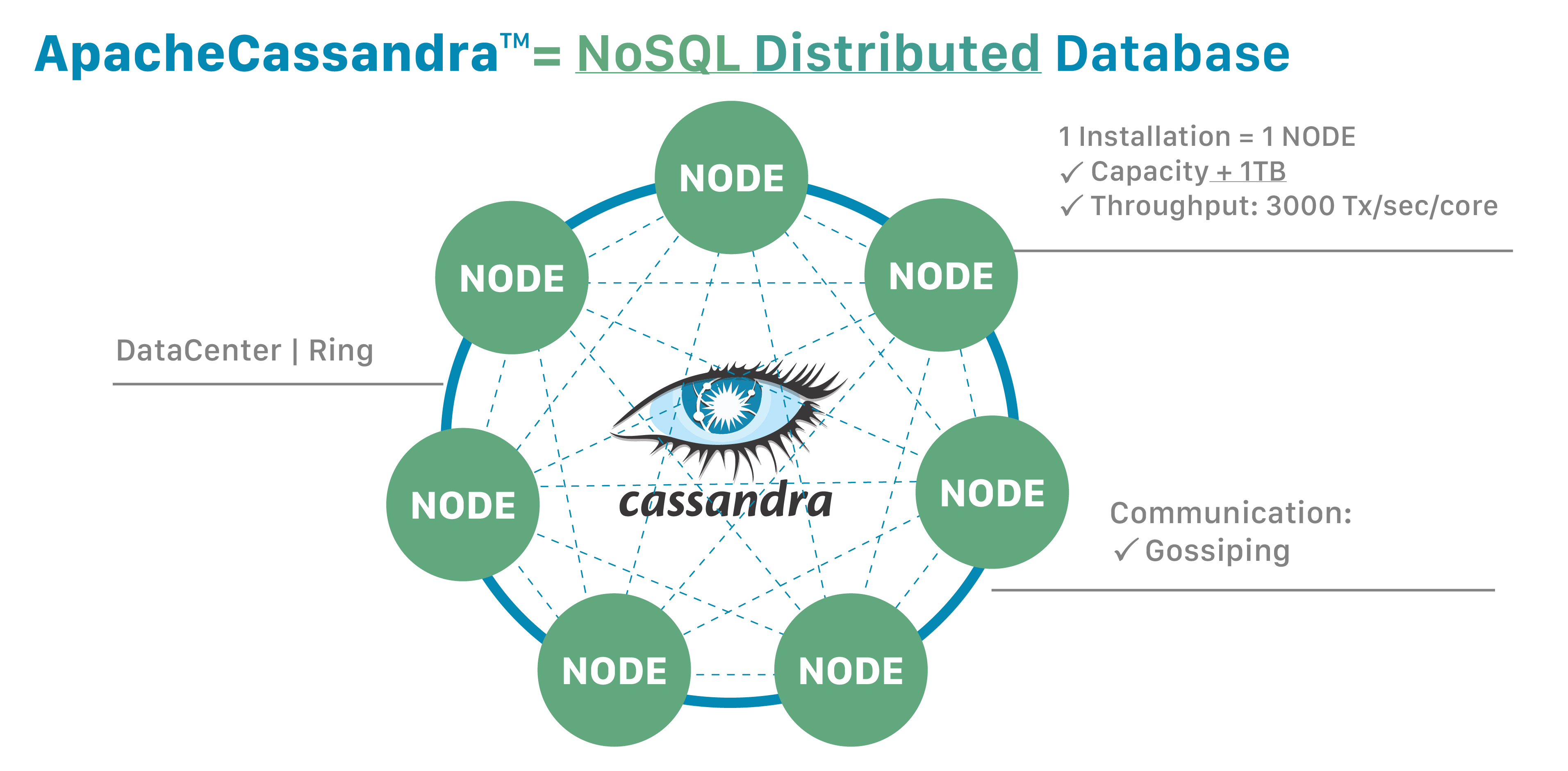
Figure 1: A Diagram showing A Cassandra cluster with several different Nodes (Source: Apache)
Graph Databases
The second main NoSQL Database that we will be discussing are graph databases. Graph Databases were popularized by social networks such as Facebook as a clean and efficient way of storing and traversing interconnected data. Graph databases are composed of two main entities: Nodes and Relationships.
Nodes are the nodes of the graph. These can be people, objects, cities, or various other entities. Nodes can have properties defined by the programmer. For example, a person node can have a property called "Name".
Relationships are the connections between the nodes in the graph. These relationships can be anything from friends_with relationships to works_at relationships. Relationships can also have properties too. For example, a works_at relationship can have a "Since" property describing how long a person node connected to a company node has been associated for (as in how long the person has worked at the company).
Graph Databases are generally good for relationships as it is just following pointers. This makes it good for friend features on social networks or recommendation systems that are based on what your friends consume as it can just use a pointer to very quickly traverse your group of friends.
One of the downsides of graph databases is that its bad for bulk analytics. For example, if you have a query like "what is the average age of all of the users", you would have to scan every single node of the graph (it doesn't have columnar storage (like Cassandra and other KV dbs) to just read one field efficiently). Another downside of graph databases is that they don't scale horizontally like Cassandra and that is because if it could then a graph traversal would have to jump across nodes which is not only not efficient but would probably render catastrophic increases in latency as well.
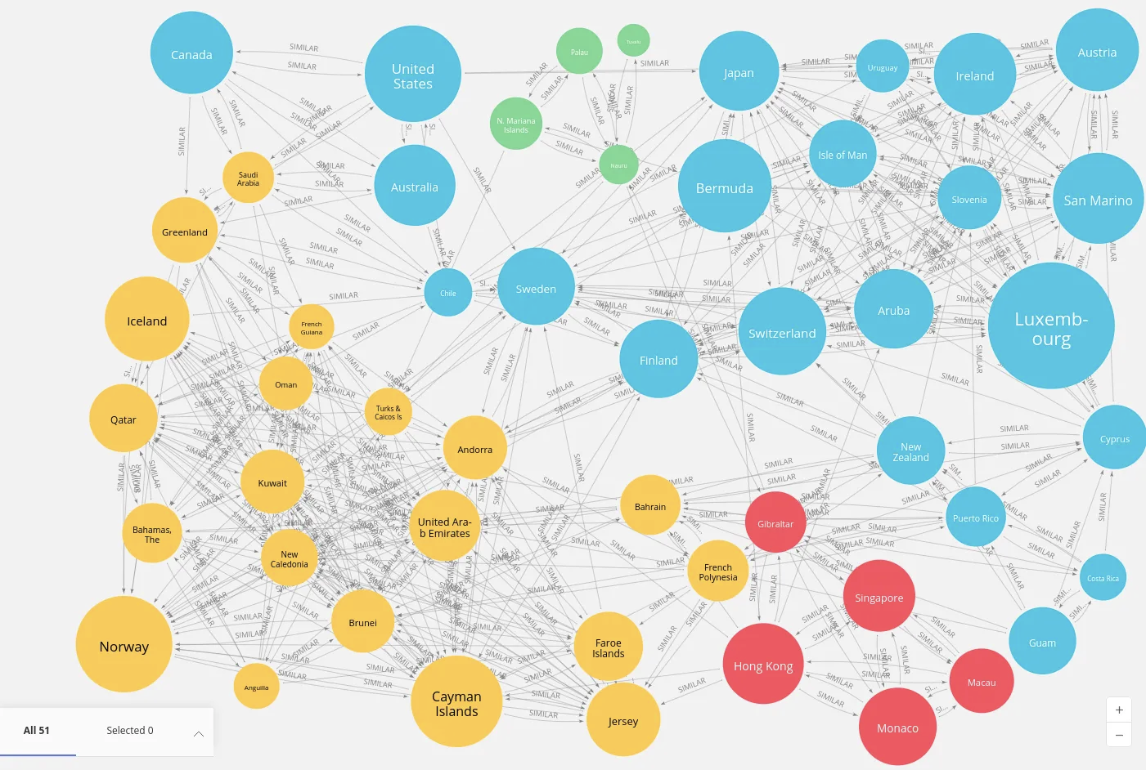
Figure 2: A Graph Database Visualization using Neo4j Visualization Library (Source: Neo4j)
Document Databases
Document Databases are the third and final NoSQL Database. These databases have the most flexible schema of all of the database types there are as it stores JSON documents. They are very good for flexible/evolving schemas and hierarchical data structures. Because of this, they are often used for product catalogs, content management systems, and user profiles. They are not the best deeply relational data or complex transactions.
Some of the Key Concepts for Document Databases are:
- Cluster: the MongoDB server
- Database: container for collections (e.g., "netflix_catalog", "netflix_users")
- Collection: like a table (e.g., "shows", "movies", "user_profiles")
- Document: a JSON object - your actual data (e.g., one show, one user)
An important thing to note is that unlike SQL, there is no schema enforcement. So if you insert a document with extra fields, MongoDB or any other Document Database would just store it, and the same thing rings true if you insert a document that is missing some fields. This means that documents within the same collection can have completely different structures.
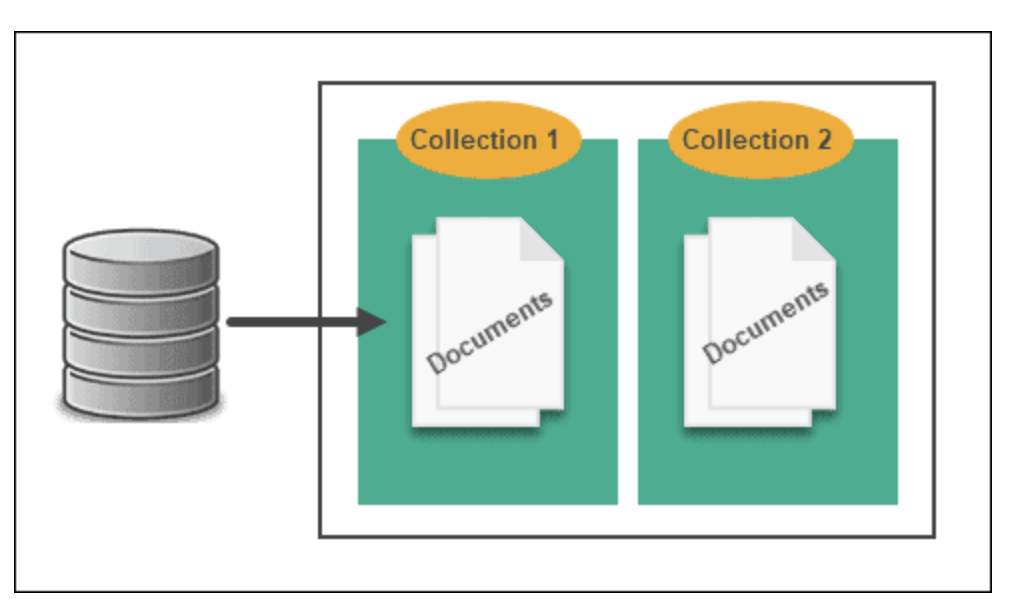
Figure 3: A Diagram Demonstrating the structure of a Document Database (Source: PhoenixNAP)
Bonus Timeseries DB: Kdb+
Kdb+ is a special type of columnar database that is specialized for speed instead of scale. It is similar to Cassandra in the fact that they are both wide column stores that use partition keys but while Cassandra is built for horizontal scalability, Kdb+ is optimized for speed of reads within a database. This type of database is very popular within HFT firms and the finance industry as a whole due to its optimizations for timeseries data. I will write more about this fascinating database and how to use it with its specialized language ,q, sometime soon.
Project Code: https://github.com/8SK3PS8/DatabaseExplorer